How to Switch your iPhone to a Better Tower
To manually force your iPhone to switch cell towers:
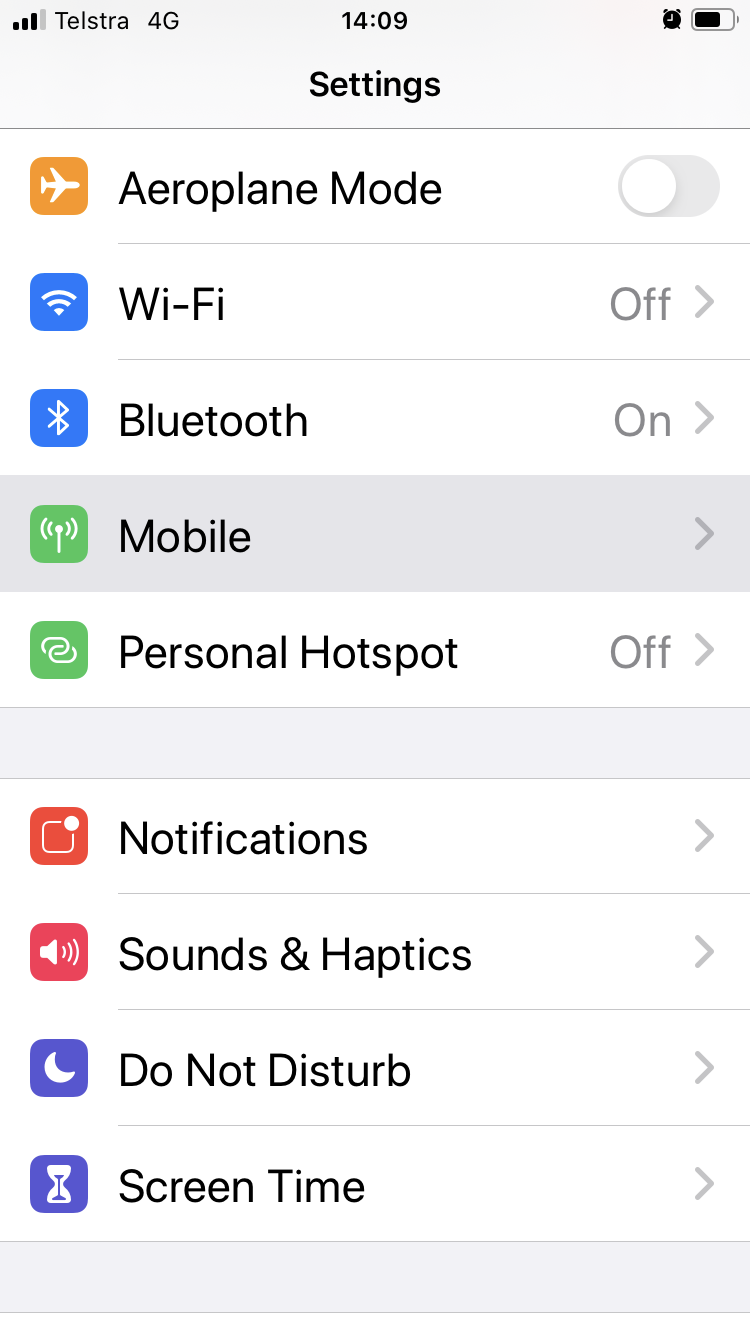
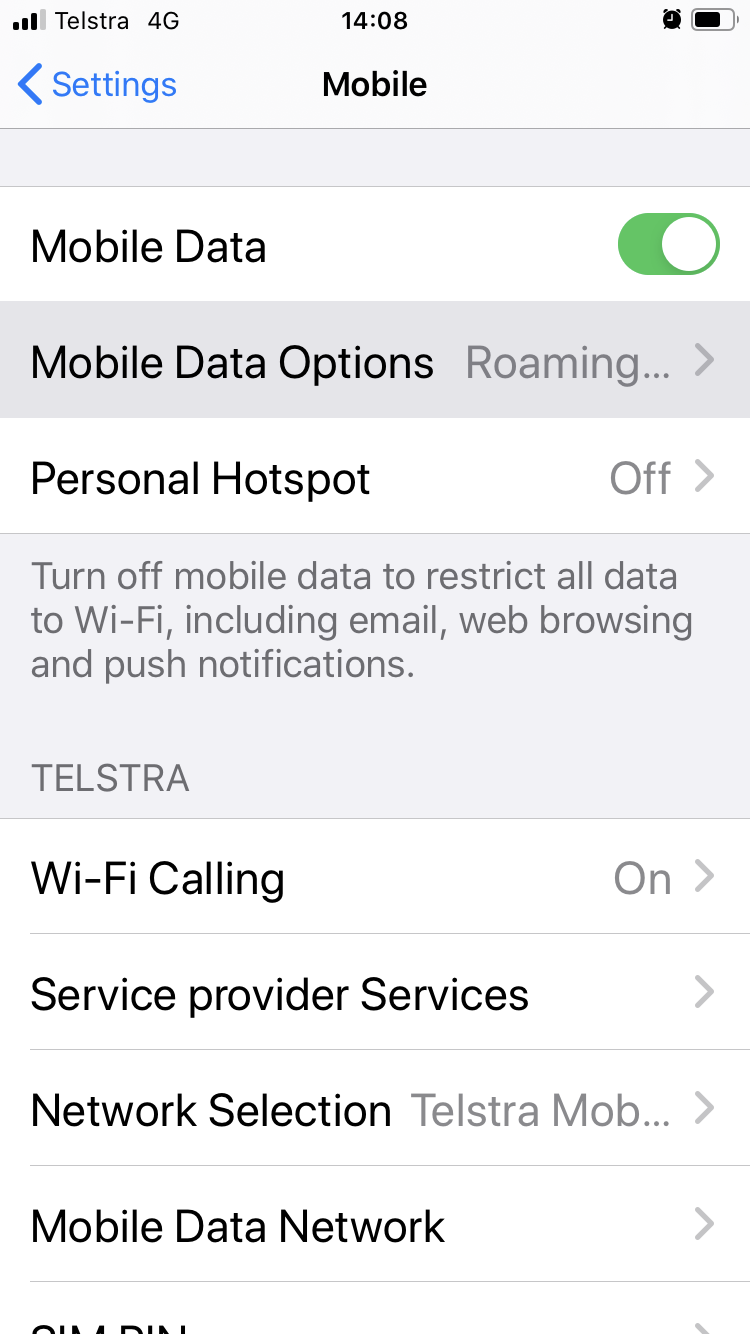
Open the Settings app, Turn off WiFi, then select the Mobile tab. Next, select Mobile Data Options, then select the Voice & Data tab.
 |
 |
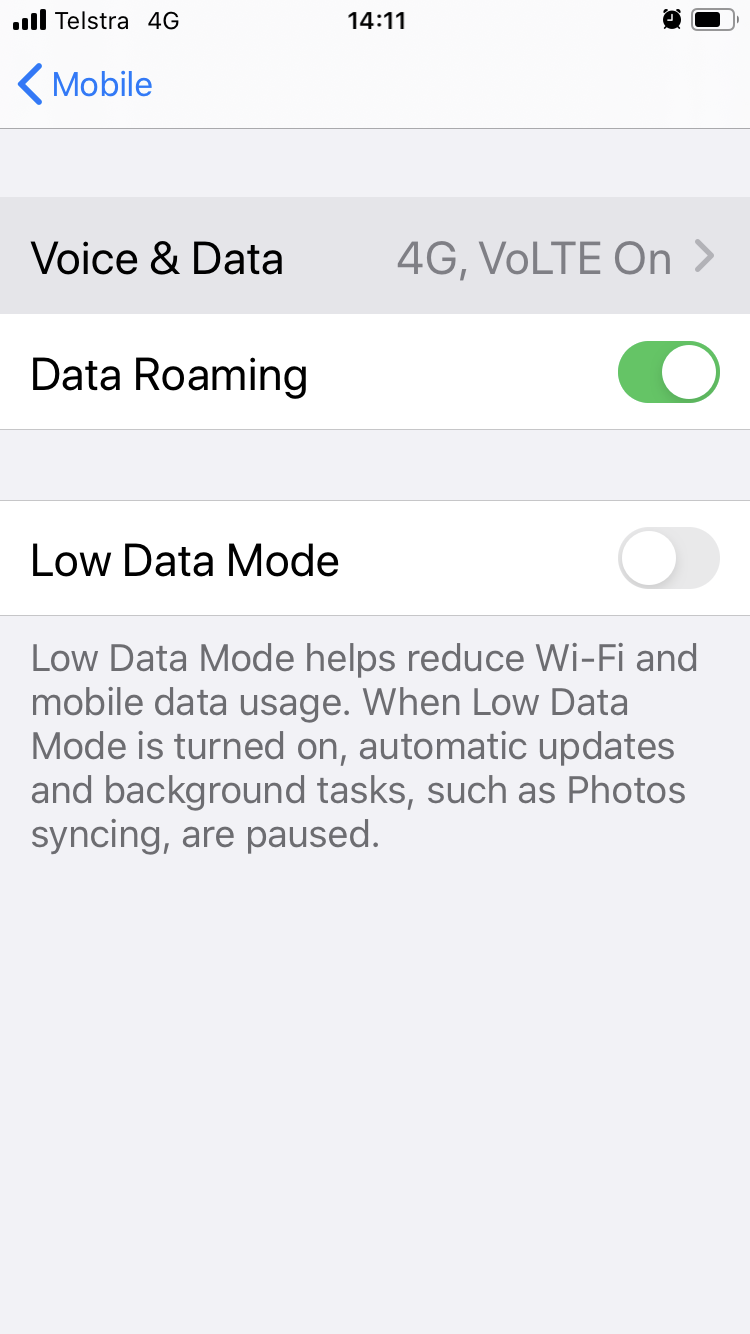 |
The Voice & Data setting will likely already be set to 4G, VoLTE On.
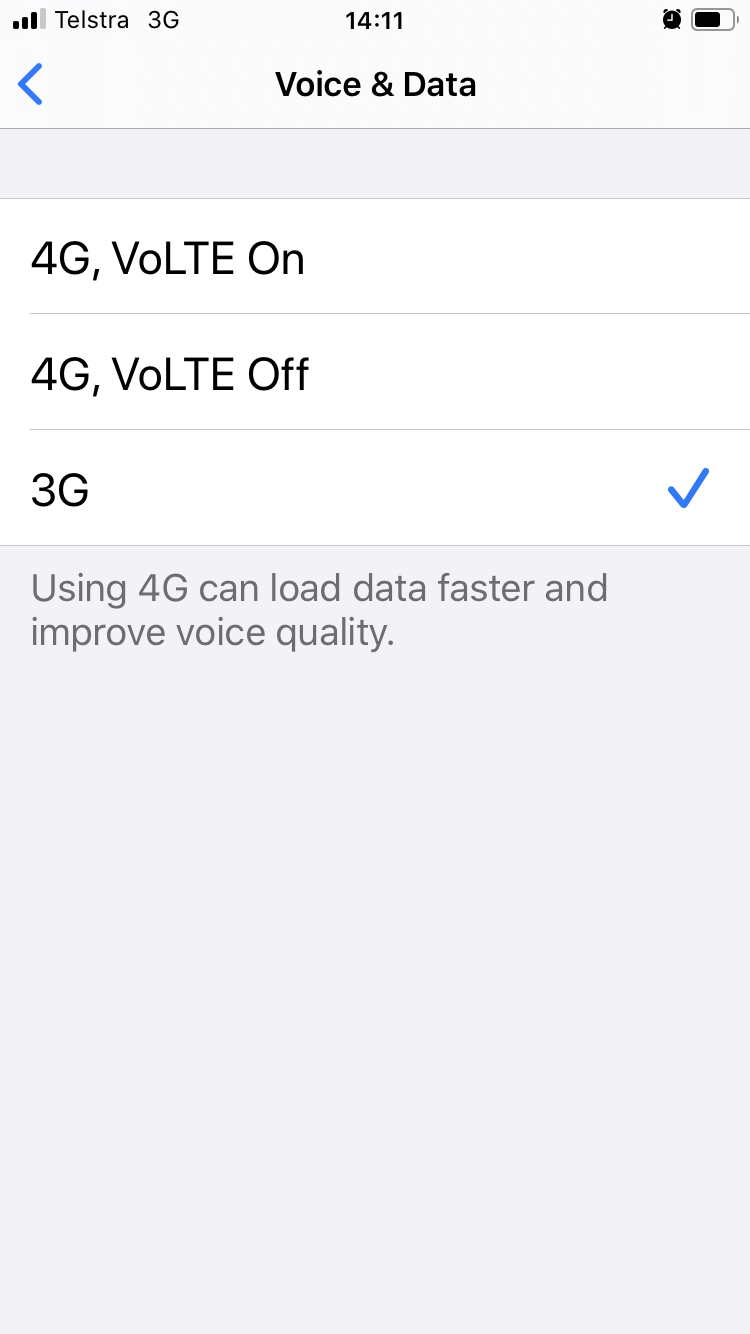
| Select 3G. Wait 30 seconds, and then cycle it back to the previous setting, either 4G, VoLTE On or, 4G, VoLTE Off. |
 |
Once your iPhone's LTE antenna reconnects, it will search out the antenna with the strongest signal and connect to it, likely a different one that you were initially having issues with.
If it appears you're still connected to the same mobile tower, it likely means there isn't a better option nearby. Other towers may be farther away, have a weaker signal, might not be using compatible frequencies, or may be congested.